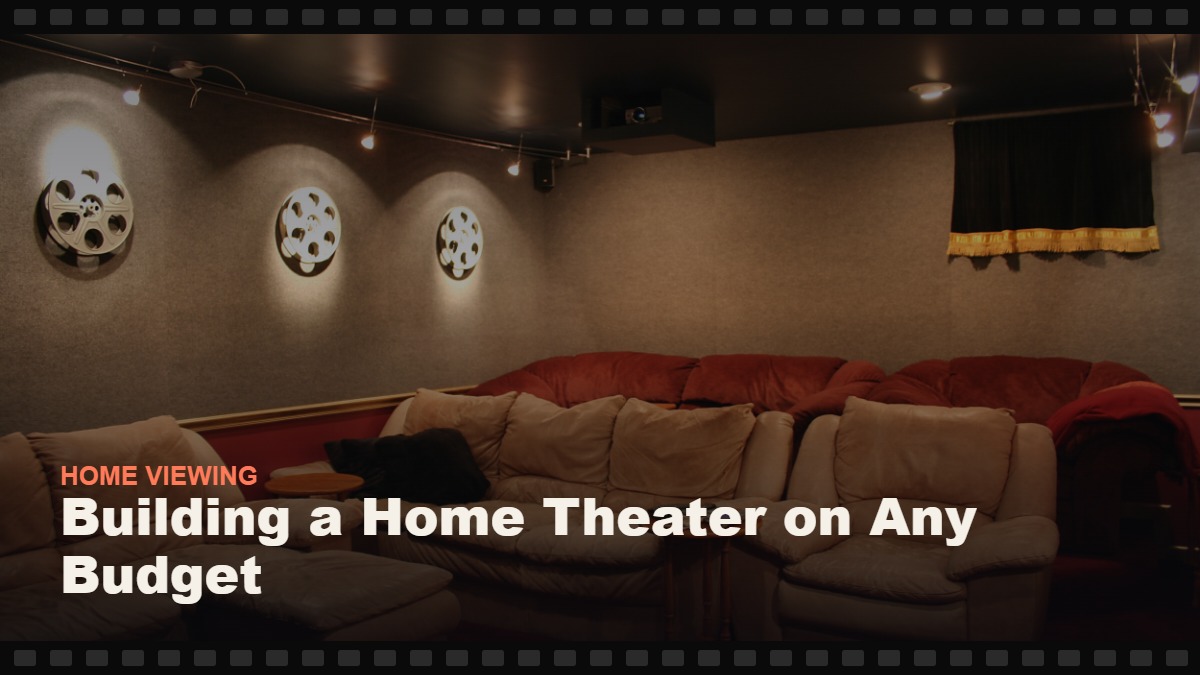
Building a Home Theater on Any Budget
Home theater isn’t a room — it’s a threshold of immersion, reached in tiers of impact per dollar. Free settings first, the $150 soundbar revolution, then the room itself. The build order the industry prefers you not to know.
Say “home theater” out loud and most people picture a dedicated basement, a projector, leather recliners — which scares off everyone who doesn’t have a basement to spare. The more useful truth: a home theater isn’t a room, it’s a threshold of immersion, and the path there runs through clear tiers of impact per dollar. Spend a hundred dollars in the right place and movie night transforms; spend a thousand and you’ve built something friends bring up unprompted; the full five-figure version stays strictly optional, since the first two tiers already capture most of the magic. The tiers are walked in order below — picture, then sound, then room — including the honest “diminishing returns start here” markers the industry would rather not flag. For the picture settings that make any TV punch above its price, the companion calibration guide pairs directly with this one.
1.The One Principle: Impact Per Dollar, In Order
Home theater spending has a strict efficiency curve, and the industry’s marketing exists to scramble it. The curve, in order: sound before picture (a $100 audio upgrade transforms more movie nights than a $1,000 TV upgrade — the brain forgives an imperfect image far sooner than thin, dialogue-swallowing sound), room before gear (a darkened, quiet, comfortable room multiplies any equipment), and settings before hardware (your current TV has a better picture locked inside its menus — free). Every tier below follows that logic, and the tier numbers are the purchase order, not just the budget order.
2.Tier Zero ($0): The Free Upgrades
Before any spending, the four zero-cost wins. Fix the TV’s picture mode: leave “Vivid,” choose the filmmaker-intended mode (Cinema/Movie/Filmmaker), and turn off motion smoothing — the “soap opera effect” that makes films look like daytime TV. Fix the seating distance: most people sit too far; for a 55–65" TV, roughly 2–2.5 meters is the immersive sweet spot. Fix the light: kill overhead lights; a single warm lamp behind the TV (bias lighting’s poor-man’s version) reduces eye strain and improves perceived contrast. And fix the sound settings: enable the TV’s dialogue/night mode if built-in speakers are your only speakers. Total cost: nothing. Total improvement: the biggest single jump this guide offers.
3.Tier One ($100–300): The Soundbar Revolution
The first purchase — and for most households, the only one that ever feels mandatory — is a soundbar. Why sound first: modern flat TVs have no physical room for real speakers, so their audio is the weakest link in the entire chain; meanwhile film is mixed for full-range sound, and dialogue clarity alone (the universal “what did he say?” complaint) is a soundbar’s home turf. What to buy: a 2.1 soundbar with a wireless subwoofer in the $150–300 range from any established brand — Dolby Atmos “upfiring” models enter at the top of this tier and are a legitimate upgrade, not a gimmick, for rooms with flat ceilings. Skip: the $80 no-name bar (worse than TV speakers with good settings) and surround systems at this price (a good stereo bar beats a bad 5.1). One evening of setup, one optical or HDMI cable, and movie night is permanently louder, clearer, and bigger.
4.Tier Two ($300–800): The Picture Upgrade
With sound solved, picture becomes the frontier — but with the tier-zero lesson intact: settings first, hardware second. If your TV is under five years old and 4K, skip to tier three; the jump from a calibrated good TV to a great one is real but no longer transformative. If you’re buying: the current market’s sweet spot is a 55–65" mid-range set with full-array local dimming or OLED — the technologies that produce the deep blacks films are graded around. OLED is the movie lover’s choice where budget allows; its perfect blacks are the single most cinematic quality a screen can have. The review lab worth trusting for model-level decisions is RTINGS, which tests TVs with instrumented measurements rather than vibes. And whatever the TV: our calibration guide applies on day one — the factory settings are tuned for a showroom, not your sofa.
5.Tier Three ($500–1500): The Room Becomes the Upgrade
Here’s where the guide turns contrarian: after sound and a decent screen, the next thousand dollars is best spent on the room. Light control — proper blackout curtains or blinds — is the highest-impact purchase in this tier: a film’s blacks turn to gray soup in ambient light, and daytime viewing without light control wastes whatever your panel can do. Real bias lighting (a $30–60 LED strip kit, 6500K, behind the TV) lifts perceived contrast and ends eye fatigue — the calibration guide explains why. Comfort and layout: the seating upgrade (a genuinely good sofa position beats a second subwoofer), a dedicated snack table, and cable discipline. And acoustics-lite: a rug, curtains, and soft furnishings tame the echo that hard rooms inflict on dialogue — the invisible audio upgrade no speaker can provide.
6.Tier Four ($1500+): Projector Dreams, Honestly Assessed
The projector is the home theater dream object, and this tier exists to tell you when the dream is real. Projectors win on one thing: size — 100-plus inches of screen for the price of a mid-range TV. They lose on almost everything else: brightness (they need true darkness), fan noise, lamp maintenance, and input lag for gaming. The honest verdict: a projector is a superb second screen for a light-controlled room and film-first viewing; as a household’s only screen it’s a compromise most families regret by month two. If the projector path calls anyway: pair an entry 1080p/4K projector with a plain white wall first, upgrade to a real screen later, and expect the soundbar — not the projector’s speaker — to do the audio work. Meanwhile the high-end TV path (large OLED/mini-LED, 75"+) closes much of the size gap with none of the light discipline; by this tier it’s a lifestyle choice, not a value question.
8.The Surround Question: When 5.1 Makes Sense
Between the soundbar and the dedicated theater sits the question everyone eventually asks: real surround speakers? The honest assessment. What surround adds: directionality — the door knock behind you, the helicopter crossing overhead — which is a genuine immersion upgrade for action and suspense. What it costs: an AV receiver, five-plus speakers, and the wiring (or the wireless kits’ compromises) — realistically $800–1,500 done properly, plus placement discipline. The verdict for most households: a quality Atmos soundbar captures much of the effect with none of the installation, and true 5.1 belongs to tier four — the point where the room is already dark, quiet, and dedicated. The exception worth noting: surround used gently (low volume, late hours) is kinder to dialogue clarity than loud stereo, so the home-theater hobbyist with the itch should scratch it — just not before the tiers below it are done.
9.The Wildcard: Gaming in the Theater
If a game console shares the room, one set of priorities shifts: input lag and refresh rate join the picture criteria. The practical rules: choose a TV with a proper game mode (all the recommended mid-range sets have one), use HDMI 2.1 ports for current consoles where available, and accept that the projector path is the weakest for gaming unless you buy specifically for low lag. The movie-night and game-night setups converge happily at tier two — one good screen, calibrated, serves both — and diverge only at tier four, where the projector question becomes a lifestyle decision about what the room is for.
10.The Tiers at a Glance
Table 1 — The build order, with honest ROI
| Tier | Budget | Upgrade | Impact per Dollar |
|---|---|---|---|
| 0 | $0 | Picture mode, seating distance, lighting, sound settings | ★★★★★ (free) |
| 1 | $100–300 | Soundbar with subwoofer | ★★★★★ |
| 2 | $300–800 | Calibrated mid-range TV (or OLED) | ★★★★ |
| 3 | $500–1500 | Blackout, bias light, seating, soft furnishings | ★★★★ (room) |
| 4 | $1500+ | Projector or 75"+ flagship; true surround | ★★★ (diminishing) |
10.Feeding the Machine: Sources, Bitrates, and Why Your Stream Matters
A calibrated screen and a good bar reveal a truth most households never learn: the signal is a component too. Streaming compression varies by service and plan — premium tiers carry visibly better 4K streams, and a purchased 4K title or a disc delivers detail no stream matches. The practical hierarchy for the films you care about most: own the favorites (digital purchase or disc for the twenty titles you rewatch), stream the rest on the best tier you carry, and check your actual bandwidth when quality disappoints — a 4K stream needs roughly 25 stable megabits, and the picture settings deserve a blameless Wi-Fi. The tier system extends upward: gear reveals source, and the final upgrade is always what’s flowing through the pipe.
12.Six Upgrades That Waste Money
- Buying the TV first and sound never. The classic error; the tier order exists because audio drives immersion.
- Leaving Vivid mode on. The showroom setting torching every film’s intended look. Five minutes, free, tonight.
- Motion smoothing left enabled. The soap-opera effect is the single most common way home viewers never see a film as made.
- The TV too high (or too far). Mounted over the fireplace is a neck and an angle problem; center of screen at seated eye level, 2–2.5 m for 55–65".
- Projector in a bright room. Ambient light is the projector’s natural predator; buy darkness first or choose the TV.
- Surround speakers before a good stereo bar. A great 2.1 beats a cheap 5.1; channels don’t equal quality.
13.Frequently Asked Questions
How long until the build “pays off”?
Immediately and cumulatively: the free tier pays tonight, the soundbar by Friday, and the full tier-two setup compares favorably to a year of cinema trips for a family of four. The quieter payoff is behavioral — households with a tuned room watch more deliberately and scroll less, which is the outcome every guide on this site is secretly about.
How do I hide the cables?
The tier-zero-forever answer: cable raceways (paintable channels that run along baseboards), Velcro ties behind the stand, and the discipline of one power strip. Wall-mounting calls for in-wall rated cables or a surface channel; the $20 cable-management hour pays off every single day in a room that looks intentional rather than improvised.
Do I need a universal remote?
Only past three devices. Up to a TV, soundbar, and one streaming box, the streaming remote’s power/volume control (HDMI-CEC, enabled in settings) covers daily life. Beyond that, a universal remote or a hub-based system restores the one-button evening — the measure of a good setup is that guests can operate it.
Is a soundbar really enough?
For most rooms and most households, yes — a good 2.1 or Atmos soundbar covers the dialogue clarity and scale that make films feel cinematic. True surround becomes compelling at the point where you’re treating the room as a venue (tier three and beyond); until then the bar is the rational endpoint.
What TV size should I actually buy?
Bigger than instinct suggests — the universal post-purchase regret is undersizing. The seating-distance math: divide your sofa-to-screen distance (in meters) by roughly 1.6 for a comfortable cinematic field of view; at 2.5 meters, that’s a 65" set. Within budget, size beats every spec except black level — immersion is largely inches and darkness.
Do I need 4K? What about 8K?
4K is the sensible default — content is plentiful and prices are flat. 8K remains a solution in search of content; at normal seating distances its benefit is academic. Spend the difference on the tier-one soundbar and never think about it again.
How often should I re-calibrate?
Once at setup, once after any firmware update (they occasionally reset modes), and a quick glance seasonally if your room’s light changes. Calibration is not a subscription — set it right once and it holds for years, which is the whole charm of the free tier.
What’s HDR and does it matter?
High Dynamic Range — brighter highlights, deeper color — matters more to modern films than resolution does, and it’s standard on the mid-range sets this guide recommends. The caveat: HDR shines on a calibrated screen in a controlled room, which is the tier-zero-and-three argument in miniature.
Is bias lighting really worth it?
It sounds like decoration and behaves like optics: a soft neutral light behind the screen reduces the contrast strain between a bright TV and a dark room, eases eye fatigue, and — the surprise — makes the panel’s blacks look deeper. Thirty dollars, ten minutes, and one of the rare upgrades with no downside; the calibration guide covers the color-temperature detail that makes it work.
Where should the subwoofer go?
Bass is forgiving of placement: start with the front of the room near the bar, then try a corner (corners reinforce bass) if it sounds thin. The “subwoofer crawl” — placing the sub at your seat, playing bass-heavy content, and crawling the room’s edges listening for where it sounds best — is the ten-minute pro trick that finds the ideal spot for free.
What about outdoor movie nights?
A projector plus a white sheet or a portable screen converts the garden into the summer annex of your theater — and outdoors, the tier logic inverts: the projector (useless in a bright living room) is the star, and the soundbar doubles as the PA. Keep expectations at “festival, not reference,” add blankets and the popcorn from our popcorn guide, and the backyard screening becomes the household’s annual tradition.
Should I wait for sales or new models?
TVs follow a reliable annual cycle: new models arrive in spring, last year’s models drop steeply by late year. The best-value purchase is usually the outgoing flagship at clearance — the tier-two sweet spot renews itself annually. But don’t wait forever: the settings and soundbar improvements are available tonight, and they outsize any model-year difference.
Can I build this in an apartment without annoying neighbors?
Yes — the apartment build is a solved problem: a soundbar with a night mode and a restrained subwoofer (or the sub on isolation pads), plus headphones-friendly late hours. Immersion is about clarity and room control, not maximum volume; the tiers work at apartment loudness.
Sources & Further Reading
Instrumented TV testing: RTINGS; home cinema formats: Dolby’s home entertainment hub. All links verified live at publication. Next steps: calibrate the picture, then engineer the evening itself.
One last perspective: the cinema’s advantages are size, sound, darkness, and absence of phones — and every one of them is replicable in a living room for less than a year of family tickets. What the tiers buy is not equipment; it’s the removal of every excuse the room ever gave the film.
The home theater’s secret is that it isn’t a purchase — it’s an order of operations. Free settings tonight, a soundbar this month, the room by winter. Somewhere on that path, movie night stops being the second-best option and becomes the preferred one.